Connect CashInk to Claude or ChatGPT
Last updated: October 20, 2026
Staging server, for CashInk testers. It sleeps overnight, and the screenshots show the production address. Use the production server
Add CashInk as a connector in Claude or ChatGPT and ask about your money in plain language. It can also log expenses for you.
What you need
- A CashInk Pro subscription.
- The same Google or Apple account you use in the CashInk app. You sign in with it during setup.
- For ChatGPT: custom connectors in ChatGPT may require a paid ChatGPT plan.
In Claude
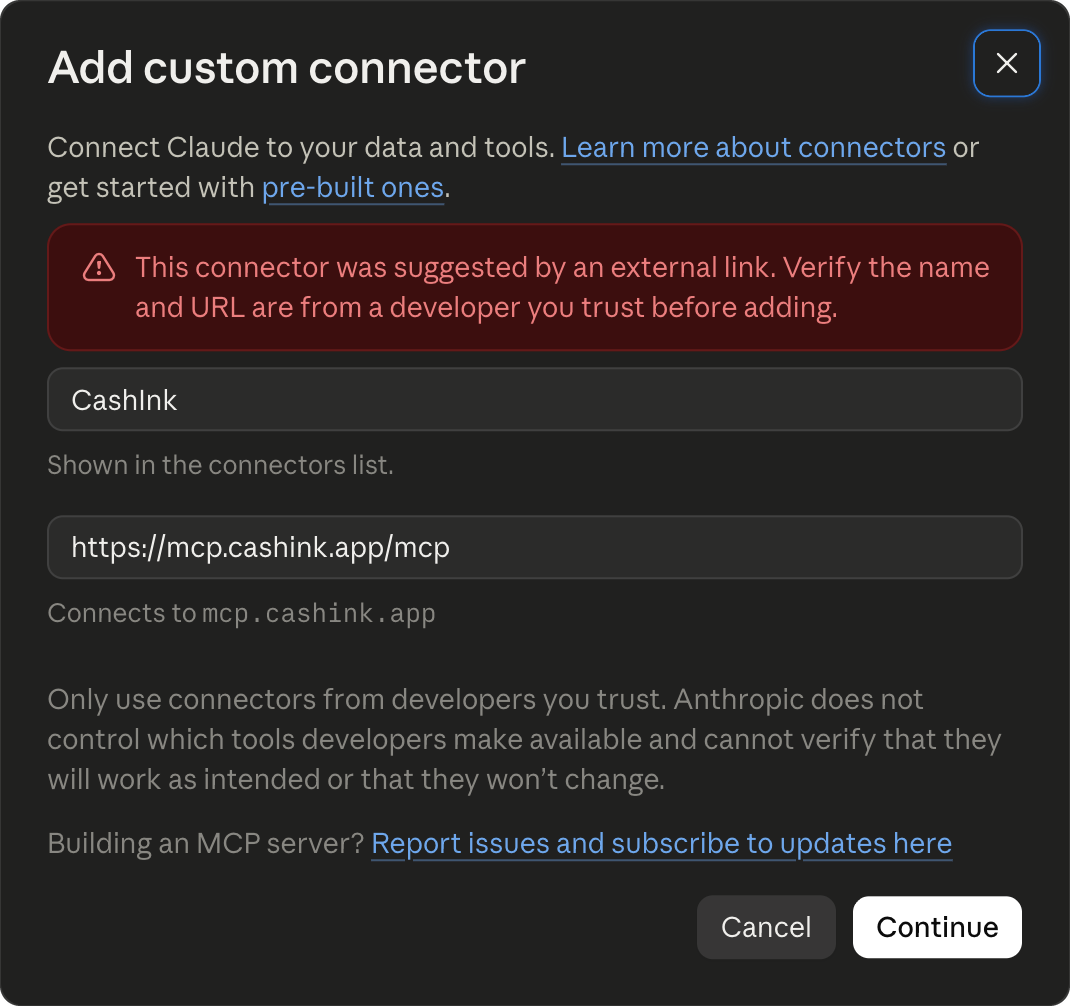
- claude.ai opens "Add custom connector" with the name and address already filled in.
-
A red notice says the connector was suggested by an external link.
That is expected while CashInk is not yet in Claude's directory.
Check that the address reads
mcp.cashink.app, then click Continue. - Click Connect next to CashInk, sign in with Google or Apple, and approve access on the CashInk screen.
- In a chat, turn CashInk on from the tools menu.
For developers: Claude Code
claude mcp add --transport http cashink https://mcp.cashink.app/mcpIn ChatGPT
Add CashInk at chatgpt.com in a web browser. The ChatGPT phone app has no way to add it, and the desktop app's own connector settings only work in its Work/Codex mode.
-
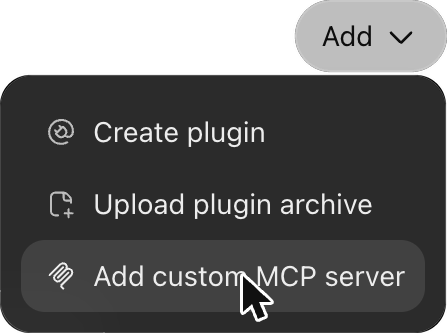
Open chatgpt.com/plugins,
click Add, and choose "Add custom MCP server".
-
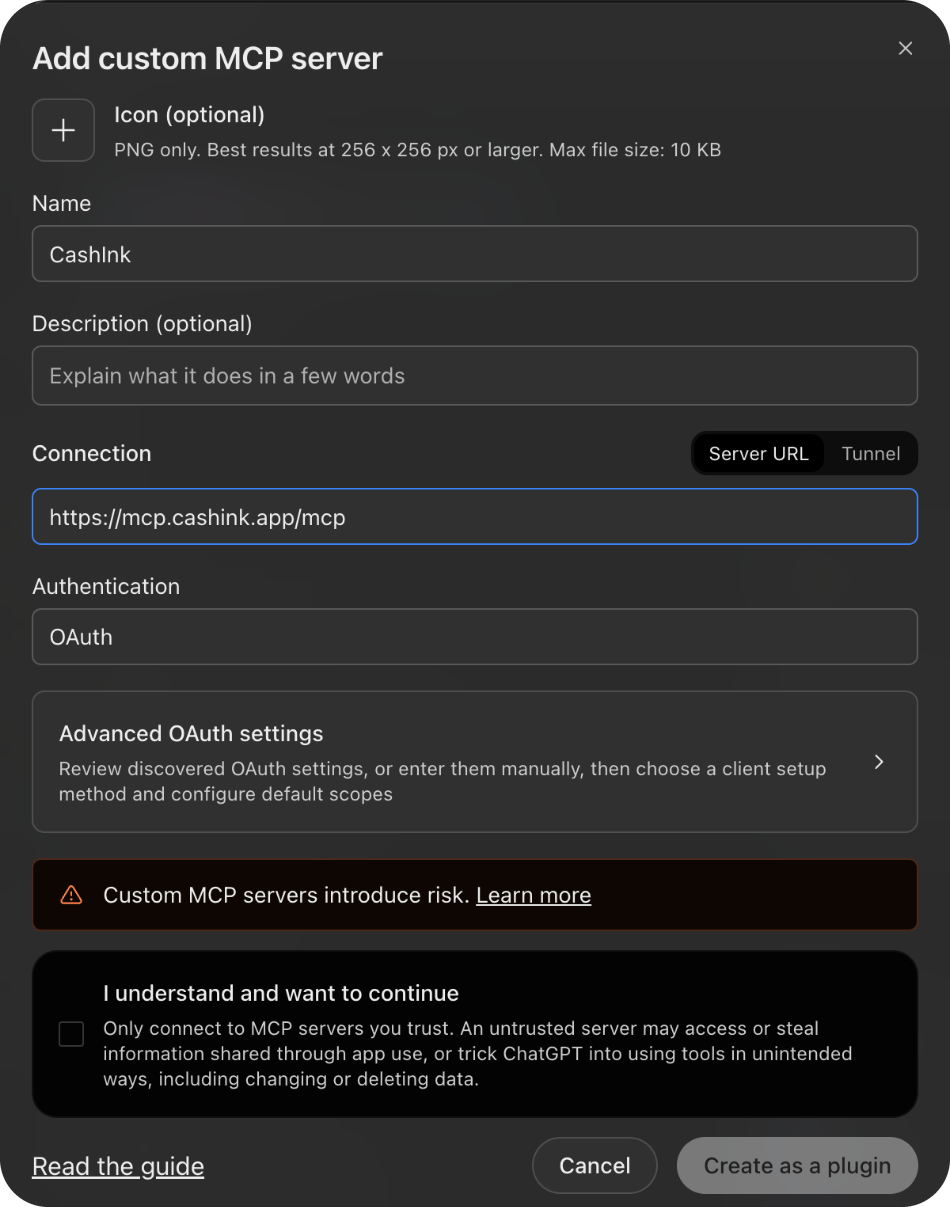
Name:
CashInk. Authentication: OAuth (the default). Server URL:https://mcp.cashink.app/mcp -
Tick "I understand and want to continue", then "Create as a plugin".
- Sign in with Google or Apple and approve access on the CashInk screen.
- In a new chat, type @ and choose CashInk.
For developers: Codex
codex mcp add cashink --url https://mcp.cashink.app/mcpIt opens the CashInk sign-in. If it does not, run:
codex mcp login cashinkTry asking
- "I spent $12.50 on coffee"
- "How much did I spend this month?"
- "Am I over budget?"
- "What do I spend the most on?"
What Claude and ChatGPT can see and do
The connector reads and changes your CashInk data through the same rules as the app, and only in the spaces you belong to. Your conversation is processed by Anthropic (Claude) or OpenAI (ChatGPT) under their own terms. You can disconnect at any time by removing CashInk in Claude's Connectors settings or in ChatGPT's Plugins. More in the Privacy Policy.